When I saw all the incredible photography coming out of the Australian dust storm, I was gobsmacked. So I invited the members of the Red Sydney Project and any other Australians I could find to contribute to a photo magazine. And less than 48 hours later, it’s available on MagCloud. Print on demand, baby!
Since MagCloud doesn’t ship to Australia yet, Cheryl in Oz has offered to do a bulk order and distribute locally! So if you’re in Australia and want a copy, contact her.
If you’re like me and have an embarrassment of digitized music in iTunes, here’s a fun thing to try: The College Years Smart Playlist. Here’s how to make it.
1. Create a new Smart Playlist (File: New Smart Playlist). I called mine “College Years”.
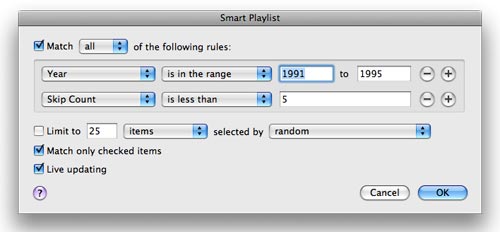
2. Select “Year” and “is in the range” and put in the year you started college “to” the year you graduated. (If you didn’t go to college, use another date range that’s meaningful to you.)
3. Optional: Omit any song that you skip a lot. Click the plus icon, select “Skip Count” “is less than” and put in a small number (I picked 5). Make sure the top says “Match all of the following rules.” In the end, it should look like this.
4. Click “OK” and enjoy the sounds of your formative years.
My playlist turned out to be 9 gigs of awesome and embarrassing musical throwbacks, heavy on the early hiphop and flannel rock. It’s kept me smiling all week.

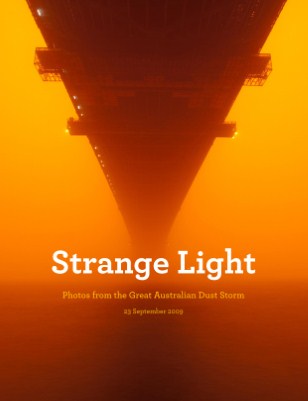 When I saw all the incredible photography coming out of the Australian dust storm, I was gobsmacked. So I invited the members of the Red Sydney Project and any other Australians I could find to contribute to a photo magazine. And less than 48 hours later, it’s available on MagCloud. Print on demand, baby!